Hunter Austin@blazed_cloudDiscovered
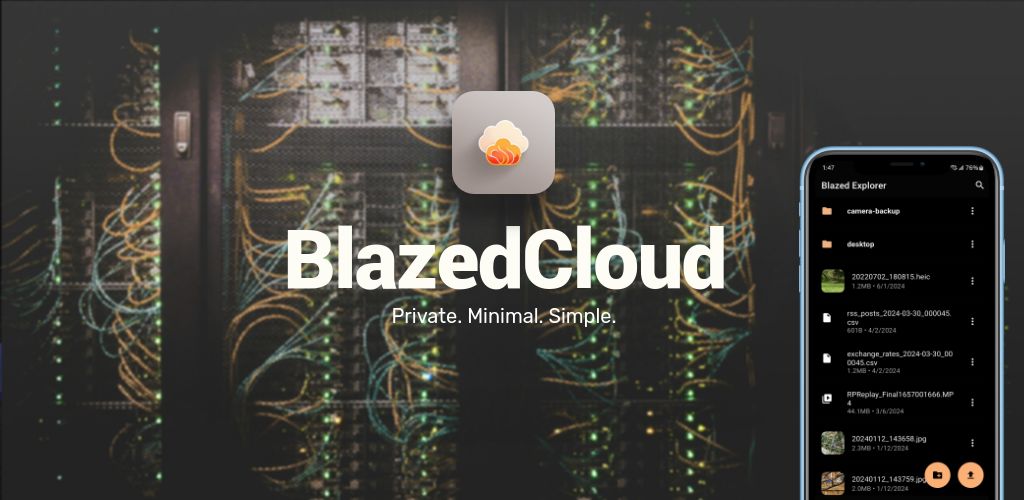
Blazed Cloud aims to be a privacy friendly Google Drive, and be simpler to use. Accomplishing this through a more minimal UI design, and open sourced code

Discover android products found across trusted public sources.
Blazed Cloud aims to be a privacy friendly Google Drive, and be simpler to use. Accomplishing this through a more minimal UI design, and open sourced code

Farao is a trading mobile app, that helps anyone around the world access financial products. It allow users to long or short stocks, crypto, pre-IPO, and indexes from your phone. Up to 40x leverage, 24/7, and fully self-custodial. Available in both iOS and Android.

is::Engine (Infinity Solutions::Engine) 4.0.3 Open source C++ framework which uses the mechanisms of SFML 2 and which also allows to develop with several libraries at the same time (SDL 2, Emscripten) in order to easily export your games / applications on the Nintendo Switch, Web (HTML 5), Mobile and PC (Windows, Linux, macOS). Contents Features What's new in this version Extras Game Engine User Guide and Youtube Tutorial Example of a project created with the engine Hello Scene Example Prerequisites How to use is::Engine with the different development tools Description of the project structure How to update an is::Engine project Special things to know about the engine How to activate the use of Admob Contribute Features Run SFML game / application on SDL 2 (Like an Emulator) Language manager (English and French language support by default) Scene System Automatic management of a window Multi support for development tools (Nintendo-Switch, Android Studio, Qt, CMake, Emscripten, Visual Studio Code, Code::Block, Visual Studio is::LibConnect Web Push Notification SDM (Step and Draw Manager) GSM (Game Sound Manager) GRM (Graphics Resources Manager) CFF (CMake Files Fusion) TMX Lite TMX Loader (Old version) Entity system Object Event System Button System Background System Game Slider Sprite Animation Basic collision engine 2D physic engine (Box 2D) Message Box System (Modifiable appearance via Sprites and Font) Dialog Box System (as for RPG games) [Windows, Linux] Tiny File Dialogs to manage the dialog boxes of type: Message, File Save, Load File, Folder Selection Game Configuration System (sound, music, language, keyboard key, file path, ...) Game Save System [Android] Virtual Game Pad with 6 keys (multi directional cross and A - B button) [Android] Virtual Game Pad Configuration (Adjust Position, transparency, ...) [Android] Show Ad Banner [Android] Show Reward Video What's new in this version Support for sf::RenderTexture in SDL 2 Improved SFML simulator system with SDL 2 Bug fixes 4.0.2 Using Visual Studio and SDL 2 to develop with SFML. Bug Fixes 4.0.1 Nintendo Switch Support The Demo and tutorials are compatible with the Nintendo Switch. Visual Studio 2022 can be used with all projects. Vertex Arrays support (Simulation with SDL 2). When you want to use a texture with vertices, you must set the optional parameter useWithVertices to true in the loadFromFile() function, which is necessary when using SFML with SDL2. sf::Texture texture; texture.loadFromFile("image.png", true); Extras Here is a Web Game : Arkanoid created thanks to the game engine tutorial. It's a Web Game so it's playable on PC and mobile. The engine comes with a Demo (2D Platform Game) that uses only the functions of the engine, in order to show you its power and how to use it. Now imagine what you can do when you use Box 2D and the other tools! Example Pack that show how to use the various features of the game engine. Game Engine User Guide and Youtube Tutorial English version French version Youtube tutorial : How to import an SFML project into is::Engine Youtube tutorial : How to create a game (Arkanoid) with the game engine Example of a project created with the engine I Can Transform GravytX The Gravytoid Hello Scene Example Here is an example code of a Scene (the place where the game objects come to life). In less than 50 lines of code, the engine allows to: Change the language of the game (English / French) Display an RPG type message with interaction Animate an object with the possibility of interacting with it (by clicking / touching it) Load resources (Textures, Music) Play music Display a background that scrolls vertically and horizontally with a speed Manages the display depth of each object Automatically manages the game window (closing confirmation, events, ...) Change the background color of the window (scene color) class HelloScene : public is::GameDisplay { public: HelloScene(is::GameSystemExtended &gameSysExt): GameDisplay(gameSysExt, sf::Color::White /* => scene color*/) {} void loadResources() { m_gameSysExt.m_gameLanguage = is::lang::ENGLISH; // set default game language // uncomment to change English language in French // m_gameSysExt.m_gameLanguage = is::lang::FRANCAIS; // load font and texture GameDisplay::loadParentResources(); // allows to load system resource (very important never forgot to call him) GRMaddTexture("hello_world", is::GameConfig::SPRITES_DIR + "hello_world.png"); auto &texBg = GRMaddTexture("background", is::GameConfig::TILES_DIR + "background.png"); auto &texDialog = GRMaddTexture("dialog_box", is::GameConfig::GUI_DIR + "dialog_box.png"); // add a background to the position x = 0, y = 0 which will fill the scene and which will be scrolled (scrolling speed = 0.5) SDMaddSceneObject(std::make_shared<is::Background>(texBg, 0.f, 0.f, this, 0.5f, -0.5f, false, false)); // add an object at position x = 0, y = 0 which will be updated and displayed in the scene SDMaddSceneObject(std::make_shared<HelloWorld>(0.f, 0.f, this)); // add RPG style game dialog auto gameDialog = std::make_shared<is::GameDialog>(texDialog, GRMgetFont("font_msg"), this); gameDialog->setDepth(-2); // the display depth (make it appear on all objects. The object with the smallest value appears on the others) gameDialog->setDialog(is::GameDialog::DialogIndex::DIALOG_HELLO); // set the corresponding dialog (See GameDialog.h and GameLanguage.h for more details on creating a message for dialogue) SDMaddSceneObject(gameDialog); GSMaddSound("game_music", is::GameConfig::MUSIC_DIR + "game_music.wav"); // add music GSMplaySound("game_music"); // play music } }; Prerequisites SFML Library (2.4 +) SDL 2 (2.0.12 +) GCC Compiler (7.3 +) How to use is::Engine with the different development tools: Nintendo Switch This project uses the template of carstene1ns. 1. Prerequisites DevkitPro with MSYS2 Very important Not affiliated with Nintendo. All your source files (only .cpp or .c) must be located in the root of the cpp folder otherwise the compiler will not find them! The Switch uses the same touch functions as Android. The engine has been configured so that you can use the PC functions keyIsPressed(is::GameConfig::KEY_UP) or keyIsPressed(is::GameConfig::KEY_A), etc. on the Switch. 2. Installation Windows Download devkitPro and install it in C:/devkitPro/. During installation: Check "devkitA64" (for Switch) Check "MSYS2 Base System" Check "portlibs" if available Once installed, open the MSYS2 terminal (C:\devkitPro\msys2\msys2.exe) Enter these commands in the console to download libraries: pacman -Syu pacman -S switch-sdl2 switch-sdl2_image switch-sdl2_mixer switch-sdl2_net switch-sdl2_ttf Move the is-Engine project to your C:/ (C:/is-Engine). Run the file copy_assets.cmd so that it transfers your resources which are in the assets folder to romfs (this folder will be created when executing the copy_assets.cmd file) necessary for the compilation. Enter these commands in the console: cd c:/is-Engine/app/src/main/ make If all goes well you will have a main.nro file in the main folder that you can launch via Nintendo Switch emulators (Yuzu, Ryujinx, ...). Enjoy! Android Studio This project uses the template of Georgik and Lauchmelder23. 1. Prerequisites Android Studio (4.0.1 +) Android SDK and NDK (r20b) Very important On Android SFML games run with SDL library. If you want to use SDL functions in your source code, use the IS_ENGINE_SDL_2 macro. The audio format supported at the moment is .WAV Your help to improve the engine will be welcome! Please read this. 2. Installation Windows Download Android Studio 3.x (recommended version 4.0.1). Download the Android SDK and install it in C:/Android/SDK. Download Android NDK android-ndk-r20b-windows-x86_64 and create a folder on your disk as follows C:/Android/NDK then extract the contents of the zip in this folder. Set the environment variable ANDROID_NDK with the path C:/Android/NDK. Move the is-Engine project to your C:/ (C:/is-Engine). Open the is-Engine folder with Android Studio and start the compilation. If all goes well you will have a Hello World Screen on your Android emulator. Enjoy! 2. How to replace the package name (com.author.isengine) of the application Follow these steps carefully. A single error and the application will crash wonderfully when launching on emulator / mobile! Replace this line in the gradle.app file. Replace this line in the AndroidManifest.xml file. Replace this line in the SDLActivity.java file. Replace the abresence com/author/isengine in which is the file SDLActivity.java that you have just modified at the top by yours (example com/yourname/yourgamename). Replace this part ..._ com_author_isengine _... of line 20 and 23 in the file SDL_android_main.c by yours (example com_yourname_yourgamename). Replace this part ..._ com_author_isengine _... on the 23 lines of the file SDL_android.c by yours (example com_yourname_yourgamename). I strongly advise you to use the replace function of your text editor (on Notepad++ we use Ctrl + F + Replace option). Replace this line in the GameConfig.h file. Note that this part is only required if you want to use the game engine data save / load functions. 3. Adding Source Files So that Android Studio can detect your source files (.cpp) you must include them in the app_src.cmake or isengine.cmake file which is located in the is-Engine/app/src/main/cmake location. 4. Application location The application can be found in is-Engine/app/build/outputs/apk. Web (HTML 5 - CSS 3) If you want to make your SFML project compatible with the Web (Be able to run it in a web browser), please watch this video tutorial. Now you can put texts and geometric shapes (Rectangle, Circle) in Outline on the Web (It was not available in the old versions)! 1. Prerequisites

Redefine the concept of AI agents. With Flowly, you can set up your own AI agent on your own server or computer, and use your fully secure, personalized agent 24/7 without any downtime.KEY FEATURESDeploy AI Agents: Set up powerful AI bots on your own cloud server in under 2 minutes. Choose from multiple AI models including GPT-4o, Claude, Gemini, and more.Real-Time Chat: Have natural conversations with your AI assistant directly from the app. Send text, images, and documents.Connect Your Apps: Integrate with WhatsApp, Telegram, Discord, Gmail, Slack, Trello, and more. Your AI agent works across all your favorite platforms.Scheduled Tasks: Automate recurring tasks by scheduling messages to your AI. Set daily reports, reminders, or any automated workflow.SSH Terminal: Full terminal access to your server directly from the app. Monitor, manage, and troubleshoot with ease.Secure by Design: Your data stays on your own server. Conversations are processed through your own bot instance. We do not share your data with third parties.Multi-Language: Available in English, Turkish, and Spanish.Dark Mode: Beautiful dark and light themes with smooth transitions.WHY FLOWLY?Every process that can be automated — now on a single platform. Whether you're a developer managing servers, a business owner automating customer support, or anyone who wants a personal AI assistant that works 24/7 across all your apps.Your server. Your data. Your AI agent.
the best of BI, without the complicated setup, steep price, or long learning curve.It helps growing companies make their data more usable, by making it accessible to their entire team so they can make better decisions, faster.It provides a blend of powerful, but easy-to-use features like:Connect all your data from 130+ software tools, APIs, Databases or custom Spreadsheets in seconds.Data prep (datasets) - Curate, prepare, and merge raw data from multiple sources, so your team can analyze with more depth, confidence, and clarity later.Metrics & KPIs - Track all your company's metrics and KPIs in one place.Dashboards - Visualize performance in real-time with interactivedashboards (custom or pre-built templates) you can share with anyone.Reports - Create custom presentations of your data that update automatically.Goals - Set realistic goals based on historical data, monitor your progress, then achieve them.Benchmark - Compare performance against similar companies to find gaps and opportunities to improve.Forecast - Forecast what future performance will be for any metric, and see the best and worst-case scenarios.AI-powered insights - Get AI-generated summaries of how you’re performing.The atabox experience is built to support multiple devices and platforms so that you can access your data at any time, from wherever you like, mobile app, web, tv or smart watch.The mobile app is a beautifully designed dashboard which tells you when important things change in your business. From a morning briefing with a daily scorecard we'll make sure you start your day in the know to smart alerts which will notify you when something needs your attention Databox has you covered.More than 20,000 growing businesses and agencies use Databox to align teams, save time, and inform predictable growth.Try it today at databox.com
Our AI finds products from public sources, then rotates exposure so useful newcomers have a fair chance to be seen.
Learn how discovery works