Discover git products found across trusted public sources.
소프트웨어 개발 관리부터 최적화까지, 개발자와 관리자를 위한 업무 분석 서비스 비씨티오. BCTO는 개발팀의 생산성을 극대화하고 프로젝트 투명성을 높이는 혁신적인 업무 분석 플랫폼입니다. 코드 커밋부터 프로젝트 완료까지, 모든 과정을 자동으로 추적하고 분석합니다.

Redential CLI English · Español · Português (BR) · Français · Italiano Your best work is probably under an NDA. Turn private work into an NDA-safe developer credential. Your code never leaves your machine. Website · Trust model · FAQ · Docs How it works npx redential scan No login, no config, no global install. scan runs entirely locally and makes zero network calls. Redential CLI analyzes git history and implementation patterns locally, then produces a bounded metadata bundle describing the skills and capabilities detected in repositories you cannot connect. You review the exact bundle before anything is uploaded. If you choose to submit it, Redential adds that evidence to an Attested capability profile you can share. Your source code never leaves your machine. Run it When you want the result on your Redential profile: npx redential login # device flow, one time npx redential submit # scans again, shows you the bundle, asks before uploading npx redential logout # deletes the locally stored session Prefer a persistent install: npm install -g redential redential scan (redential is an alias of @redential/cli, the canonical package — see Verifying the package itself.) Supported platforms: macOS, Linux, and Windows, on Node.js 20 and 22 — every release is verified against all six by CI. What scan looks like On a real terminal, scan prints a short, human-readable summary — not the raw JSON. It's assembled entirely from fields already in the bundle (see docs/schema.md for every field, and docs/scan.md for the full layout): capabilities detected (structural findings, like a verified webhook-handling flow, called out first; everything else grouped by category), top languages and categories, ownership and signed-commit ratios, and a closing block restating what leaves the machine and what never does: PRIVATE WORK, LOCALLY DERIVED 1 year · 1,378 authored commits · 78% ownership CAPABILITIES DETECTED Payment webhook flow 4 commits STRUCTURAL · DIRECT Payments Stripe 12 commits TOP LANGUAGES .ts ████████████████████ 62% .sql █████░░░░░░░░░░░░░░░ 14% TOP CATEGORIES Backend ████████████████████ 51% Testing ███████░░░░░░░░░░░░░ 18% Ownership 78% of this repo's commits are yours Signed commits 45% of your commits are cryptographically signed ──────────────────────────────────────────────────────────── Nothing left your machine. Nothing is uploaded unless you run `redential submit` — and only the bounded bundle: aggregates, salted fingerprints, and closed-vocabulary capability slugs. Never code, file names, commit messages, or other contributors. Verify: github.com/Redential/redential-cli ──────────────────────────────────────────────────────────── Inspect the exact payload: redential scan --json More detail (hour/weekday histograms): redential scan --details Add this private work to your public Redential profile: → redential login && redential submit The exact JSON is one flag away, never hidden: redential scan --json (or redential scan | jq, or any piped/redirected stdout) prints only the literal bundle, byte for byte what submit would send — and redential submit always shows you that same exact JSON in full, immediately before asking you to confirm the upload, on every path, unskippably. The summary above is a terminal-only convenience derived from that same bundle, never a second source of data. This is the payload shape (redential scan --json) — what's actually reviewed before any upload: { "schema_version": "1.2.0", "runner": "local", "tool_version": "0.5.0", "created_at": "2026-07-09T14:32:01.000Z", "repo": { "host_type": "github", "age_days": 742, "repo_fingerprint": "a3f9…" }, "identity": { "author_identity_hashes": ["9c1e…"], "other_contributors_count": 3 }, "commits": { "user_total": 1847, "first_at": "2024-06-02T09:14:00Z", "last_at": "2026-07-08T21:05:00Z", "span_days": 767, "hour_histogram": [...], "weekday_histogram": [...] }, "signed": { "count": 831, "ratio": 0.45, "key_types": ["ssh"] }, "languages": [ { "extension": ".ts", "share": 0.62 }, { "extension": ".sql", "share": 0.14 } ], "categories": [ { "name": "backend", "commit_count": 902, "churn_share": 0.51 }, { "name": "testing", "commit_count": 340, "churn_share": 0.18 } ], "detected_skills": [ { "slug": "payments/stripe", "commit_count": 12, "first_seen": "2024-09-01T10:00:00Z", "last_seen": "2025-11-20T18:30:00Z" }, { "slug": "payments/payment-webhook-flow", "commit_count": 4, "first_seen": "2024-09-03T08:00:00Z", "last_seen": "2024-09-03T08:00:00Z", "evidence": "structural", "confidence": "direct" } ], "ownership": { "user_commit_ratio": 0.78 }, "integrity": { "merkle_root": "7be2…", "algorithm": "sha256", "date_forensics": { "author_span_days": 767, "committer_span_days": 763, "mismatch_ratio": 0.06, "committer_burst_ratio": 0.02 } }, "attestation": { "authorized_confirmation": true, "confirmed_at": "2026-07-09T14:32:01.000Z" } } Full command reference: docs/scan.md. Trust model Never leaves your machine Only travels after you run submit, and only this Source code, diffs, snippets The bundle scan prints with --json (and submit always shows in full before upload) — byte for byte File and directory names An extension (.ts) and an inferred category (backend) Commit messages Aggregate cadence: hour/weekday histograms Other contributors' names or emails An aggregate count of other contributors The remote URL Only the host kind (github, gitlab, …), never the URL Secrets of any kind Nothing — a secret-scan runs over the bundle and blocks output on any match — Your private label: free text you type yourself (never derived from your code), sent alongside — never inside — the bundle, shown before you confirm upload, mandatory, owner-visible only (docs/private-label.md) Every row on the left is backed by an executable test, per docs/privacy-tests.md — not just a policy statement. scan itself makes zero network calls; login and submit are the only two commands that touch the network at all, and submit uploads nothing without your explicit confirmation. Full rationale: docs/principles.md. Verifying the package itself Every release is published from GitHub Actions on a tagged commit with npm provenance (npm publish --provenance) — never from anyone's laptop. Verify any installed version was built from this exact source: npm audit signatures See docs/releasing.md for the full release process and what the provenance attestation actually proves. FAQ How does anyone know I actually did this work? Can't I just import a bunch of libraries to inflate my skills list? Can't I replay someone else's git history into a new repo and claim it? What exactly leaves my machine? Why should I trust a CLI with my employer's code? What does "Attested" actually prove? Is this just a funnel for your SaaS? What about pair-programmed or AI-assisted commits? Docs docs/faq.md — straight answers to the hard questions docs/principles.md — the six non-negotiable rules docs/privacy-tests.md — which test proves which rule docs/scan.md — full scan command reference docs/login-submit.md — login, submit, logout docs/private-label.md — the mandatory private label: what it is, why it travels outside the bundle docs/schema.md — every bundle field, explained docs/signatures.md — how skill detection works docs/releasing.md — how a release is built and verified If the repo you're scanning is your own and connectable, scan isn't the better tool — the GitHub App reads the actual code and grants stronger tiers than local metadata ever can. Contributing See CONTRIBUTING.md — most contributions are a one-line addition to a signature map, and starter issues are labeled up-for-grabs. The contribution we want most: help harden the evidence — red-team the signals, propose stronger structural patterns, improve the forgery forensics — always within the NDA-safe premise (evidence leaves the machine only as bounded metadata). Bug reports and security issues: SECURITY.md.

🛡 Termaxa Run AI coding agents with confidence. Termaxa gates the shell commands an agent runs — previews the blast radius, backs up first, blocks the dangerous ones, and escalates repeat offenders. It's a cooperative windshield, not a sandbox. Your AI agent wants to run git push --force, DROP TABLE users, terraform apply, rm -rf. Most of the time it's right. Sometimes it isn't. Today your only options are supervise every command (which defeats the point of an agent) or trust it blindly (which defeats your Friday). Termaxa is a third option: a gate the agent's commands pass through. It reads a policy you wrote, shows you what's actually about to happen, backs up what's about to change, and records everything. Built for Claude Code and Cursor today; works as a standalone CLI anywhere. Claude Code --> TERMAXA --> git . postgres . docker . terraform . your shell | +- decide allow / ask / deny (your policy) +- preview commits lost, rows affected, resources destroyed +- insure automatic backup before destructive ops +- escalate repeated destructive intent -> auto-deny +- record every attempt, with an execution report Quick start (5 minutes) 1. Install. Download a prebuilt binary from Releases and put it on your PATH — or, with a Rust toolchain: cargo install termaxa termaxa check "rm -rf /" # works immediately — no setup, no project config 2. Wire up a project. cd your-project termaxa init --claude-code # writes .termaxa/policy.yaml, installs the Claude Code hook 3. See it work. termaxa check "git push --force origin main" From now on, every Bash command Claude Code runs in this project passes through Termaxa first. Runtime state (logs, backups) lives in ~/.termaxa/, safely outside your repo. What it looks like 1 - A destructive command can't hide behind a safe prefix $ termaxa check "git status && rm -rf /" decision: deny reason : segment 2/2 `rm -rf /` — Recursive delete from root is blocked. Termaxa splits compound commands and judges each part. git status && buys nothing. 2 - Blast radius, before you commit to it $ termaxa check "psql -d shop -c 'DROP TABLE users'" decision: deny reason : DROP TABLE is blocked. Archive or rename instead. preview : postgres impact DROP TABLE users rows (estimate) : 50,000 referenced by : audit_log, orders, sessions (3 tables) without CASCADE : this DROP will FAIL (dependents exist) insurance : pg_dump users before execution (automatic on run/hook) Row estimates come from the planner (pg_class.reltuples, stale between ANALYZEs) — Termaxa never scans your tables. 3 - An agent that retries can't syntax its way through An agent blocked on rm -rf . will often just try again with different words. Termaxa classifies the intent, not the spelling, and trips a per-session circuit breaker on repeat attempts: $ rm -rf . -> ask (file-delete #1) $ Remove-Item -Recurse -Force . -> ask (file-delete #2, different shell) $ del /s /q . -> DENY circuit breaker: 2 prior file-delete attempts this session Three shells, one intent, third variant auto-denied — no rule enumerated per spelling. find -exec rm, xargs rm, and unlink count too. Configure via circuit_breaker: in policy.yaml (on by default, threshold 2). 4 - Destroy, then un-destroy $ termaxa run -- git push --force origin main ┌ push preview (main -> origin) │ ⚠ remote will LOSE 1 commit(s): │ ✗ 44510f1 important work └ Proceed? [y/N] y 🛟 backup b-1783006590625 — origin/main @ 44510f1 pinned to termaxa/backup/b-1783006590625 $ termaxa rollback b-1783006590625 ✓ origin/main restored to 44510f1 Force push measures what the remote will lose, not just gain — and pins it to a backup branch first. After a session: the report $ termaxa report ┌─ Termaxa Execution Report ───────────────────────── │ commands : 4 ✓ 1 allow · ? 2 ask · ✗ 1 deny │ blocked : ✗ psql -d shop -c "DROP TABLE users" │ impact : • DROP users ~50,000 rows, 3 dependent(s) │ • plan: +3 ~0 -1 │ backups : 1 — rollback available │ risk : Medium (deny×3 + escalation×2 + ask×1 = 5) └────────────────────────────────────────────────── Every line is a fact with a source in the audit log. Nothing invented. Why Termaxa? "Claude Code already asks permission — why do I need this?" The built-in prompt tells you the command. Termaxa tells you the consequence: 50,000 rows, 3 dependent tables, 1 commit lost. It takes the backup before you approve, and when it blocks something it tells the model why, so the agent proposes an alternative instead of retrying. Why not a sandbox / Docker? A sandbox contains damage to the sandbox. But your repo, your database, and your Terraform state are exactly the real things an agent must touch to be useful. Sandboxes are walls; Termaxa is a windshield. They're complementary — run both. Why not OPA / policy engines? OPA decides allow/deny well. It has no execution previews, no automatic backups, no rollback, and no agent-native hook. Termaxa is policy plus the things you actually want when an agent is holding the keyboard. Architecture a command the agent wants to run | +-------------------------v-------------------------+ | TERMAXA | | | | shell split -> policy -> context -> decision | | (&&, ;, |) (yaml) (branch, (allow/ | | flags, ask/deny) | | prod, SQL) | | | v | | preview <-------------- consequential| | (git loss, pg blast radius, | | | terraform plan) v | | insurance <------------- destructive | | (git ref / pg_dump / files) | | | v | | execute | | | | | audit (JSONL, ~/.termaxa) <---------------+ | | notify (webhook) report (session summary) | +---------------------------------------------------+ Six engines, one binary. Policy is in-repo (.termaxa/policy.yaml, reviewable in PRs); logs and backups live in ~/.termaxa/ where no git operation can touch them. Policy .termaxa/policy.yaml — first match wins, * is a wildcard, matching is case- and whitespace-insensitive: version: 1 default: ask # unmatched commands require approval rules: - match: "git status*" action: allow - match: "git push*--force*" action: ask reason: "Force push — remote history will be overwritten." - match: "*drop table*" action: deny reason: "DROP TABLE is blocked. Archive or rename instead." circuit_breaker: # optional (on by default) enabled: true threshold: 2 # trip on the 3rd repeated destructive attempt notify: # optional webhook: https://hooks.slack.com/services/... on: [deny, ask] Command reference Command Purpose termaxa init [--claude-code] scaffold .termaxa/, detect tools, install the hook termaxa check "<cmd>" dry-run: verdict + preview (exit 0/3/4) termaxa run -- <cmd> gated execution: preview → approve → backup → run termaxa hook Claude Code PreToolUse mode (stdin JSON → decision) termaxa log [--decision D] [--source S] [--json] the audit trail termaxa stats totals, sessions, top blocked termaxa backups · termaxa rollback <id> list / restore backups termaxa report [--session ID] [--all] [--md] session summary termaxa notify --test verify your webhook termaxa paths where policy and state live Honest limitations Termaxa is pre-1.0. It's real and tested, and it is not magic. Specifically: Hooks advise; they don't enforce. Termaxa gates commands an agent submits through the Claude Code or Cursor hook. Those agents are cooperative — they respect a deny and propose an alternative, which is what makes the gate work. An agent running in full-auto mode could, in principle, retry a blocked action through a different command or shell; the circuit breaker raises the cost of that, but a hook is an integration point for visibility and policy, not an enforcement boundary. True enforcement means owning the execution path — that's Termaxa Runtime, on the roadmap. For hard guarantees today, pair Termaxa with OS-level sandboxing. Native agent tools bypass the gate. The hook sees shell commands. An agent's own built-in file/edit tools don't go through the shell — observed in live testing, a Cursor agent switched to its native file-delete tool and removed files Termaxa never saw. Non-shell tool calls need OS-level isolation underneath. Cooperative, not a sandbox. Termaxa governs commands that flow through the agent hook or termaxa run. An agent with raw, unhooked shell access is not contained — that needs OS-level sandboxing, a complementary layer. The threat model is agents making expensive mistakes, not a malicious agent actively evading you. Shell parsing is good, not perfect. It splits on &&, ||, ;, | and flags $(...). Subshells ( ), deeply nested quoting, and variable-expanded commands are judged conservatively, not deeply understood. Previews are best-effort. No database connection → static analysis only. Terraform previews shell out to terraform plan. Remote Terraform state is versioned by its backend, not by Termaxa. Backups have edges. rm insurance keys on the literal rm command. Postgres backups use pg_dump/psql and must be on your PATH. No retention/pruning yet — backups accumulate. The format may still change. Pre-1.0 means the policy schema and CLI can shift between minor versions. Pin a release. Claude Code and Cursor are live-tested. Both are exercised end-to-end, including the circuit breaker tripping under a real Cursor session. Codex and Copilot dialects parse each agent's format but aren't verified end-to-end yet. Help validating them is welcome. See SECURITY.md for the full threat model. Contributing Issues and PRs welcome. cargo test must pass; CI runs on Linux, macOS, and Windows. The codebase is ~3,600 lines of dependency-light Rust — src/policy.rs and src/preview.rs are the best places to start reading.
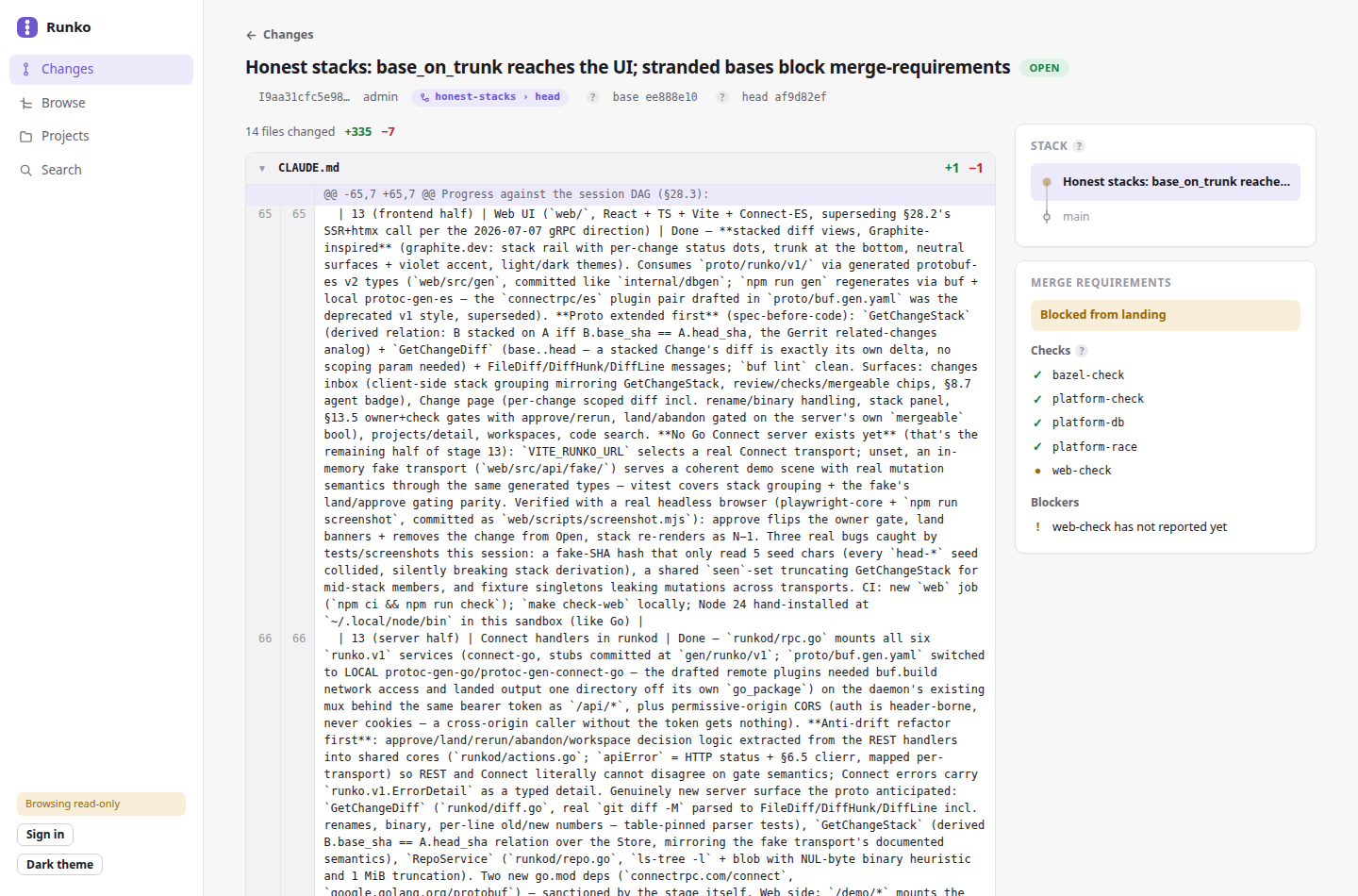
Runko Runko is a self-hosted monorepo platform on plain Git: first-class projects inside one repository, change-based review (Gerrit-style refs/for/ pushes), path ownership, affected-based CI scoping, and rebase-based landing with merge gates enforced server-side. Humans and coding agents use the same CLI/API surface; agents get stricter, server-enforced policy. Apache-2.0. Runko develops on Runko. The source of record is a public instance — browse the code, changes, and review history without an account: Code: https://runkorepo.com/runko Changes: https://runkorepo.com/runko/changes Playground: https://runkorepo.com/demo/ — the UI on sample data, entirely in your browser Clone: git clone https://runkorepo.com/o/runko/repo.git (or this mirror) This GitHub repository is the read-only mirror of that instance, updated automatically on every landing (including refs/changes/*, so any change's exact commit is fetchable here too). Git is the only storage substrate — Postgres holds a rebuildable index of trunk, never a second source of truth. Each project directory carries a README.md that is its spec surface — what it owns, its decided constraints, and a dated Decisions section; the original design spec, docs/design.md, is frozen as the historical record (see docs/README.md for the documentation model). Getting started The zero-cost look first: the playground runs the full UI on sample data entirely in your browser, and the public instance is browsable read-only with no account (joining it is invite-only — "Request an invite" on its landing page). Joining an org that already runs Runko needs no server setup at all: the whole journey is one CLI plus your org's control-plane URL (ask whoever operates it): # 1. The CLI — grab a prebuilt binary (see Installing below), or: go install github.com/saxocellphone/runko/cli/runko@latest # 2. Join your org: one command creates your account and your stored # login (signup IS login; it prompts for a password) runko auth signup --runkod-url https://runko.example.com --name val --org acme --join # 3. A workspace: your slice of the monorepo, from one shared clone. # Where it materializes is our business — you name it with -w and # work from wherever you already are. runko workspace create --name day-one --project repo # 4. Your first project — generated, opened as a change for review runko project create --name hello --type service --api rest \ --repo "$(runko workspace path day-one)" runko change push -w day-one # -> review; checks scoped to what changed runko change land -w day-one # rebase-lands once the gates are green # 5. The steady-state loop, forever after $EDITOR "$(runko workspace path day-one)"/hello/main.go runko change create -w day-one -m "hello: describe the edit" runko change push -w day-one && runko change land -w day-one Every gate you meet along the way — owners, required checks, agent policy — lives in the org's tree, and each refusal names the command that fixes it. Standing up the control plane itself (docker compose, signup flags, the two-user eval profile) is the operator's path: see Running your own. The first user on a fresh instance signs up with --create instead of --join, which genesis-seeds the org — a root manifest, OWNERS naming you, AGENTS.md — so day-one work lands by its author alone; CI replays that exact journey, refusals included, via scripts/compose-onboarding.sh. How changes land here There are no direct pushes to main and no merged PRs, anywhere. A change is pushed to refs/for/main, passes receive policy and a secret scan, gets its required checks from the PROJECT.yaml manifests it affects — each project declares its own check commands, and CI is a generic executor that runs whatever runko-ci checks resolves for the change — and lands by rebase once the gates are green. The repo is carved into projects with declared dependencies: edges; some projects declare no checks at all and are gated through the reverse-dependency closure. The self-hosting migration and everything it surfaced is recorded in docs/migration-findings.md. Status Working end-to-end and in daily use by its own development (which is the current test of record). The per-stage engineering history is docs/implementation-log.md. Implemented: the runkod daemon (smart-HTTP git, receive funnel, REST + Connect APIs, merge gates, automerge, multi-org, outbound mirror), the runko/runko-ci CLIs, workspaces (snapshot refs + sparse cones; single-use for agents), ephemeral per-task agent identities with server-enforced policy, affected computation with a Bazel build-graph adapter and per-check classes (run_when: direct | affected), immutable releases with changelogs derived from landed changes and tag governance at receive, code search (Zoekt), an MCP server, the web UI (stacked review with syntax-highlighted folding diffs, a code browser with history and blame, search), public read-only orgs, a CI watchdog, an operator admin panel, and a measured docker-compose eval loop. Expect rough edges; hardening findings land as ordinary changes. Repository layout Every project folder has a README.md — start there. docs/ the frozen design spec + histories, contract schemas (docs/spec/), the CLI output contract (docs/cli-contract.md) db/ Postgres DDL (db/migrations) and sqlc queries (db/queries) internal/ shared internals (gitstore, gitfixture test harness, sqlc output) platform/ control-plane libraries: receive, land, affected, checks, index, project templates, search, mirror, build adapters, MCP runkod/ the daemon: pre-receive processor, smart-HTTP, REST + Connect APIs; runkod/proto/ is its Connect contract (web <-> runkod), gen committed runko-bridge/ webhook -> GitHub Actions shim: turns runkod webhooks into repository_dispatch events for the CI executor runkogithubapp/ GitHub App installation-token minting — the deployment-wide credential for everything Runko does against GitHub watchdog/ runko-watchdog, the CI reconciler: force-reports finished-but-unreported runs, one rescue rerun for lost dispatches mailer/ runko-mailer, the invite-request notifier (SMTP over the operator feed) web/ web UI (React + TypeScript + Vite + Connect-ES) webadmin/ the operator admin panel — its own sign-in and failure domain, deliberately separate from web/ cli/runko/ human/agent-facing CLI cli/runko-ci/ CI-facing CLI Running your own git clone https://github.com/saxocellphone/Runko.git && cd Runko docker compose up That brings up the control plane (runkod + Postgres) at http://localhost:8080 with two eval users, alice and bob — clone through it, push a change to refs/for/main as one, approve as the other, land it. scripts/compose-smoke.sh drives that loop end to end; CI times it on every landing. The web UI runs separately for now: cd web && VITE_RUNKO_URL=http://localhost:8080 npm install && npm run dev. The CLI Everything the platform does is a command — the web UI is a view, not the interface. The daily loop: runko project create --name payments-api --type service --lang go runko workspace create --name fix-sku --project payments-api --by you # your slice, from one shared clone runko change push # -> review; checks scoped to what changed runko change requirements --json # owners + checks outstanding, machine-readable runko change land # rebase-lands once the gates are green runko change automerge --change I… # or: arm once, it lands itself when they go green Design rules, documented in docs/cli-contract.md: every command takes --json; exit codes are 0/1/2 (success / failure / usage); every refusal is a structured {code, message, suggestion} where the suggestion is a command you can type. Coding agents use the same binary, taught by a generated AGENTS.md (runko agents-md); CI uses runko-ci (affected computes impact offline from the tree, checkout does partial-clone sparse checkouts, report-check posts results with retries). Running coding agents Agents are ordinary API clients with stricter, server-enforced defaults — none of it is prompt engineering: runko agent create --task fix-sku # mints agent-fix-sku-3f2a: its own token, dead by TTL runko workspace create --name fix-sku … # one task = one workspace, enforced runko change push # per-change size caps nudge stacks, not monoliths runko change automerge --change I… # the agent never polls; the server lands when green Each agent identity is minted per task and named for the work, so authored_by, workspace ownership, and the review badge all answer "what was this agent doing" by construction. Agent workspaces are single-use and auto-close when their last change concludes; oversized changes are refused at receive with the split workflow in the message (a stack of small changes passes where the same volume as one change is refused); agents can never approve their own changes, mint other agents, or hold operator powers. This repo is built almost entirely by agents working under exactly these rules. Installing Prebuilt runko and runko-ci binaries (Linux/macOS/Windows) are on the releases page, rebuilt automatically whenever a landing affects the CLI. From source: go install github.com/saxocellphone/runko/cli/runko@latest go install github.com/saxocellphone/runko/cli/runko-ci@latest Building and testing git clone https://runkorepo.com/o/runko/repo.git runko cd runko make check # fmt + vet + test, all packages Requires Go 1.25+ and git on PATH. The test suite needs no other services — it uses throwaway local Git repositories. Optional suites, each with its own toolchain: make check-race, make check-db (live Postgres), make check-web (Node ≥ 22), make check-bazel (build graph + gazelle drift) and make check-bazel-test (the same test suite under Bazel — what CI's per-project checks run, scoped), make check-compose (Docker; the timed end-to-end eval loop). Contributing Pull requests cannot be merged on GitHub — this repo is a mirror, and a divergent main would freeze it. Issues and discussion are welcome here; code changes go through review on the Runko instance. Decisions (repo-wide) Decisions scoped to a single project are recorded in that project's README.md; entries here are the ones that cross project boundaries — and, like there, only major architectural shifts: routine work is recorded by its change description, not README edits (see docs/README.md). The record through 2026-07-16 is docs/design.md's frozen changelog. 2026-07-16 — the centralized spec is retired: docs/design.md is frozen as the historical record and each project's README.md becomes its living spec surface, with dated Decisions sections replacing the central changelog (docs/README.md documents the model).

Our AI finds products from public sources, then rotates exposure so useful newcomers have a fair chance to be seen.
Learn how discovery works