Discover api products found across trusted public sources.
Streamline your API integrations with ApiTraffic. Simplify logging, monitoring, and debugging for faster, more efficient engineering workflows. Save time. Ship faster.

Ran a search for a rough idea I've been noodling on and the validator actually surfaced two YC companies from different batches that tried something adjacent - one pivoted, one shut down. That's a completely different kind of signal than the usual "sounds promising!" you get from just asking an AI chatbot directly, because it's grounded in real outcomes instead of vibes. Super cool! As a founder it's great to see YC batch trends over time and track every new startup getting accepted into the latest batch live with the notifications It's open source so I've already made 2 PRs! It's an awesome project as is so it's easy to contribute when the foundation is already there

Claude is one of my go-to AI tools for software development, architecture discussions, code reviews, and long-form reasoning. It excels at understanding large codebases, explaining complex concepts clearly, and producing thoughtful, well-structured responses. I especially value its ability to maintain context during longer technical conversations, making it a reliable partner for both development and problem-solving.The biggest improvements I'd like to see are higher message limits, better conversation search, stronger project memory across sessions, and expanded image generation/editing capabilities. Deeper integrations with developer tools and more flexible collaboration features would also make it even more valuable for technical workflows.I regularly use ChatGPT, Gemini, Perplexity, DeepSeek, and other AI models. I chose Claude because of its strong reasoning abilities, excellent handling of long documents and code, and its clear, natural writing style. Each model has strengths, but Claude is often my first choice for architecture planning and complex technical tasks.Claude Code genuinely changed the way I work. I started coding again after 15 years, and even though I originally began with Cursor, Claude Code became my main tool very quickly.But the bigger thing is not just coding itself. A huge amount of operational and repetitive work can now be delegated step-by-step to Claude Code. It helps transform ideas into execution much faster and removes a lot of friction from daily workflows. For a technical founder, this is not just “AI coding” — it feels more like an intelligent operational layer for the company.

ACI: Open-Source Infra to Power Unified MCP Servers and VibeOps NoteThis repo is for the ACI.dev platform. If you're looking for the Unified MCP server built with ACI.dev, see aci-mcp. ACI.dev is the open-source tool-calling platform that hooks up 600+ tools into any agentic IDE or custom AI agent. It gives agents intent-aware access to tools with multi-tenant auth, granular permissions, and dynamic tool discovery—exposed as either direct function calls or through a Unified Model-Context-Protocol (MCP) server. Examples: Instead of writing separate OAuth flows and API clients for Google Calendar, Slack, and more, use ACI.dev to manage authentication and provide AI agents with unified, secure function calls. Access these capabilities through our Unified MCP server or via our lightweight Python SDK, compatible with any LLM framework. Supercharge vibe coding and automate devOps by adding a single unified MCP server to your favourite agentic IDE. Configure the MCP with Vercel, Supabase, Cloudflare, and other platforms. Let AI handle provisioning, deployment, database configs, and debugging to turn a vibe coded prototype into a live product. Join us on Discord to help shape the future of Open Source AI Infrastructure and VibeOps. 🌟 Star ACI.dev to stay updated on new releases! 📺 Demo Video ACI.dev Unified MCP Server Demo ACI.dev VibeOps Demo ✨ Key Features 600+ Pre-built Integrations: Connect to popular services and apps in minutes. Flexible Access Methods: Use our unified MCP server or our lightweight SDK for direct function calling. Multi-tenant Authentication: Built-in OAuth flows and secrets management for both developers and end-users. Enhanced Agent Reliability: Natural language permission boundaries and dynamic tool discovery. Framework & Model Agnostic: Works with any LLM framework and agent architecture. 100% Open Source: Everything released under Apache 2.0 (backend, dev portal, integrations). 💡 Why Use ACI.dev? ACI.dev improves tool-calling reliability and accountability: Authentication at Scale: Connect multiple users to multiple services securely. Discovery Without Overload: Find and use the right tools without overwhelming LLM context windows. Natural Language Permissions: Control agent capabilities with human-readable boundaries. Tool-use Logging: See how your agent called tools and the issues it ran into. Build Once, Run Anywhere: No vendor lock-in with our open source, framework-agnostic approach. 🧰 Common Use Cases VibeOps: Automate devOps by letting your agentic IDE access Vercel, Supabase, Cloudflare, Sentry and more to ship live products. Personal Assistant Chatbots: Build chatbots that can search the web, manage calendars, send emails, interact with SaaS tools, etc. Research Agent: Conducts research on specific topics and syncs results to other apps (e.g., Notion, Google Sheets). Outbound Sales Agent: Automates lead generation, email outreach, and CRM updates. Customer Support Agent: Provides answers, manages tickets, and performs actions based on customer queries. 🔗 Quick Links Managed Service: aci.dev Documentation: aci.dev/docs Available Tools List: aci.dev/tools Python SDK: github.com/aipotheosis-labs/aci-python-sdk Typescript SDK: github.com/aipotheosis-labs/aci-typescript-sdk Unified MCP Server: github.com/aipotheosis-labs/aci-mcp Agent Examples Built with ACI.dev: github.com/aipotheosis-labs/aci-agents Blog: aci.dev/blog Community: Discord | Twitter/X | LinkedIn 💻 Getting Started: Local Development To run the full ACI.dev platform (backend server and frontend portal) locally, follow the individual README files for each component: Backend: backend/README.md Frontend: frontend/README.md 👋 Contributing We welcome contributions! Please see our CONTRIBUTING.md for more information. Integration Requests Missing any integrations (apps or functions) you need? Please see our Integration Request Template and submit an integration request! Or, if you're feeling adventurous, you can submit a PR to add the integration yourself!

Auto-generate product Mockups for your e-commerce store with our API and integrations using your own Photoshop Templates.

Auriko treats LLM providers as trading venues and arbitrages the spread. Built by ex-quant traders, Auriko’s cost-arbitrage engine calibrates to each user’s request patterns and selects optimized inference paths based on token price, cache behavior, latency, reliability, and request quality. Auriko benchmarks show average 30% cost reduction against industry peers and direct providers. See the source: https://www.auriko.ai/reports/llm-cost-arbitrage

SerpApi Ruby Library Integrate search data into your AI workflow, RAG / fine-tuning, or Ruby application using this official wrapper for SerpApi. SerpApi supports Google, Google Maps, Google Shopping, Baidu, Yandex, Yahoo, eBay, App Stores, and more. Query a vast range of data at scale, including web search results, flight schedules, stock market data, news headlines, and more. Features persistent → Keep socket connection open to save on SSL handshake / reconnection (2x faster). Search at scale async → Support non-blocking job submission. Search Asynchronous extensive documentation → easy to follow real world examples → included throughout Installation Ruby 2.7 and higher are supported. To achieve an optimal performance, the latest version is recommended. Check 2.7.8 vs 3.4.4 performance comparison. Other versions, such as Ruby 1.9, Ruby 2.x, and JRuby, are compatible with legacy SerpApi library, which is still supported. To upgrade to the latest library, check our migration guide. Bundler gem 'serpapi', '~> 1.0', '>= 1.0.3' Gem $ gem install serpapi Ruby Gem page Simple Usage require 'serpapi' client = SerpApi::Client.new(engine: "google", api_key: "<SERPAPI_KEY>") results = client.search(q: "coffee") pp results This example runs a search for "coffee" on Google. It then returns the results as a regular Ruby Hash. See the playground to generate your own code. The SerpApi key can be obtained from serpapi.com/signup. Environment variables are a secure, safe, and easy way to manage secrets. Set export SERPAPI_KEY=<secret_serpapi_key> in your shell. Ruby accesses these variables from ENV['SERPAPI_KEY']. Search API advanced usage with Google search engine This example dives into all the available parameters for the Google search engine. The list of parameters depends on the chosen search engine. # load gem require 'serpapi' # serpapi client created with default parameters client = SerpApi::Client.new( engine: 'google', api_key: ENV['SERPAPI_KEY'], # HTTP client configuration async: false, # non-blocking HTTP request see: Search Asynchronous (default: false) persistent: true, # leave socket connection open for faster response time see: Search at scale (default: true) timeout: 5, # HTTP timeout in seconds on the client side only. (default: 120s) symbolize_names: true # turn on/off JSON keys to symbols (default: on, more efficient) ) # search query overview (more fields available depending on search engine) params = { # overview of parameter for Google search engine which is one of many search engine supported. # select the search engine (full list: https://serpapi.com/) engine: "google", # actual search query q: "Coffee", # then adds search engine specific options. # for example: google specific parameters: https://serpapi.com/search-api google_domain: "Google Domain", # example: Portland,Oregon,United States [ * doc: Location API](#Location-API) location: "Location Requested", device: "desktop|mobile|tablet", hl: "Google UI Language", gl: "Google Country", safe: "Safe Search Flag", start: "Pagination Offset", tbm: "nws|isch|shop", tbs: "custom to be client criteria", } # search results as a symbolized Hash (per performance) results = client.search(params) # search results as a raw HTML string raw_html = client.html(params) → SerpApi documentation. Documentations This library is well documented, and you can find the following resources: Full documentation on SerpApi.com Library Github page Library GEM page Library API documentation API health status Advanced search API usage Search Asynchronous Search API features non-blocking search using the option: async=true. Non-blocking - async=true - a single parent process can handle unlimited concurrent searches. Blocking - async=false - many processes must be forked and synchronized to handle concurrent searches. This strategy is I/O usage because each client would hold a network connection. Search API enables async search. Non-blocking (async=true) : the development is more complex, but this allows handling many simultaneous connections. Blocking (async=false) : it is easy to write the code but more compute-intensive when the parent process needs to hold many connections. Here is an example of asynchronous searches using Ruby require 'serpapi' company_list = %w[meta amazon apple netflix google] client = SerpApi::Client.new(engine: 'google', async: true, persistent: true, api_key: ENV['SERPAPI_KEY']) schedule_search = Queue.new result = nil company_list.each do |company| result = client.search(q: company) puts "#{company}: search results found in cache for: #{company}" if result[:search_metadata][:status] =~ /Cached/ schedule_search.push(result[:search_metadata][:id]) end puts "Last search submited at: #{result[:search_metadata][:created_at]}" puts 'wait 10s for all requests to be completed ' sleep(10) puts 'wait until all searches are cached or success' until schedule_search.empty? search_id = schedule_search.pop search_archived = client.search_archive(search_id) company = search_archived[:search_parameters][:q] if search_archived[:search_metadata][:status] =~ /Cached|Success/ puts "#{search_archived[:search_parameters][:q]}: search results found in archive for: #{company}" next end schedule_search.push(search_id) end schedule_search.close puts 'done' source code: demo/demo_async.rb This code shows a simple solution to batch searches asynchronously into a queue. Each search may take up to few seconds to complete. By the time the first element pops out of the queue, the search results might already be available in the archive. If not, the search_archive method blocks until the search results are available. Search at scale The provided code snippet is a Ruby spec test case that demonstrates the use of thread pools to execute multiple HTTP requests concurrently. require 'serpapi' require 'connection_pool' # create a thread pool of 4 threads with a persistent connection to serpapi.com pool = ConnectionPool.new(size: n, timeout: 5) do SerpApi::Client.new(engine: 'google', api_key: ENV['SERPAPI_KEY'], timeout: 30, persistent: true) end # run user thread to search for your favorites coffee type threads = %w(latte espresso cappuccino americano mocha macchiato frappuccino cold_brew).map do |query| Thread.new do pool.with { |socket| socket.search({q: query }).to_s } end end responses = threads.map(&:value) The code aims to demonstrate how thread pools can be used to improve performance by executing multiple tasks concurrently. In this case, it makes multiple HTTP requests to an API endpoint using a thread pool of persistent connections. Note: gem install connection_pool to run this example. Benefits: Improved performance by avoiding the overhead of creating and destroying connections for each request. Efficient use of resources by sharing connections among multiple threads. Concurrency and parallelism, allowing multiple requests to be processed simultaneously. benchmark: (demo/demo_thread_pool.rb) ** Benchmark Ruby 3.4.8 vs Ruby 4.0.0 ** benchmark: (demo/demo_thread_pool.rb) ruby runtime (s) thread time/thread (s) 3.4.8 0.018644 4 0.004661 4.0.0 0.017302 4 0.004326 Ruby 4.0.0 shows a slight improvement over Ruby 3.4.8, but the difference is not significant using thread. Ractor could be considered for a more efficient use of resources but it's still in the experimental stage. Note: in this benchmark, thread == HTTP connections. Real world search without persistency require 'serpapi' require 'pp' client = SerpApi::Client.new(api_key: ENV['SERPAPI_KEY']) params = { q: 'coffee' } results = client.search(params) unless results[:organic_results] puts 'no organic results found' exit 1 end pp results[:organic_results] puts 'done' exit 0 source code: demo/demo.rb APIs supported Location API require 'serpapi' client = SerpApi::Client.new location_list = client.location(q: "Austin", limit: 3) puts "number of location: #{location_list.size}" pp location_list it prints the first 3 locations matching Austin (Texas, Texas, Rochester) [{ :id=>"585069bdee19ad271e9bc072", :google_id=>200635, :google_parent_id=>21176, :name=>"Austin, TX", :canonical_name=>"Austin,TX,Texas,United States", :country_code=>"US", :target_type=>"DMA Region", :reach=>5560000, :gps=>[-97.7430608, 30.267153], :keys=>["austin", "tx", "texas", "united", "states"] } # ... ] NOTE: api_key is not required for this endpoint. Search Archive API This API allows retrieving previous search results. To fetch earlier results from the search_id. First, you need to run a search and save the search ID. require 'serpapi' client = SerpApi::Client.new(engine: 'google', api_key: ENV['SERPAPI_KEY']) results = client.search(q: "Coffee", location: "Portland") search_id = results[:search_metadata][:id] Now we can retrieve the previous search results from the archive using the search ID (free of charge). require 'serpapi' client = SerpApi::Client.new(api_key: ENV['SERPAPI_KEY']) results = client.search_archive(search_id) pp results This code prints the search results from the archive. :) Account API require 'serpapi' client = SerpApi::Client.new(api_key: ENV['SERPAPI_KEY']) pp client.account It prints your account information as:

Foresight by Lightning Rod is an OpenAI-compatible forecasting API for developers building forecasting agents, prediction bots, and decision tools. Ask a question about a future event and get a scored, calibrated forecast back. Unlike general-purpose LLMs, Foresight is trained and evaluated on real-world outcomes, with benchmark-verified accuracy, cheaper inference, and a drop-in API for forecasting workflows.


Fakend is a developer-focused productivity tool to reduce dependency and increase productivity for both individuals and teams.
Preview unavailableWith AssemblyAI's industry-leading Speech AI models, transcribe speech to text and extract insights from your voice data.

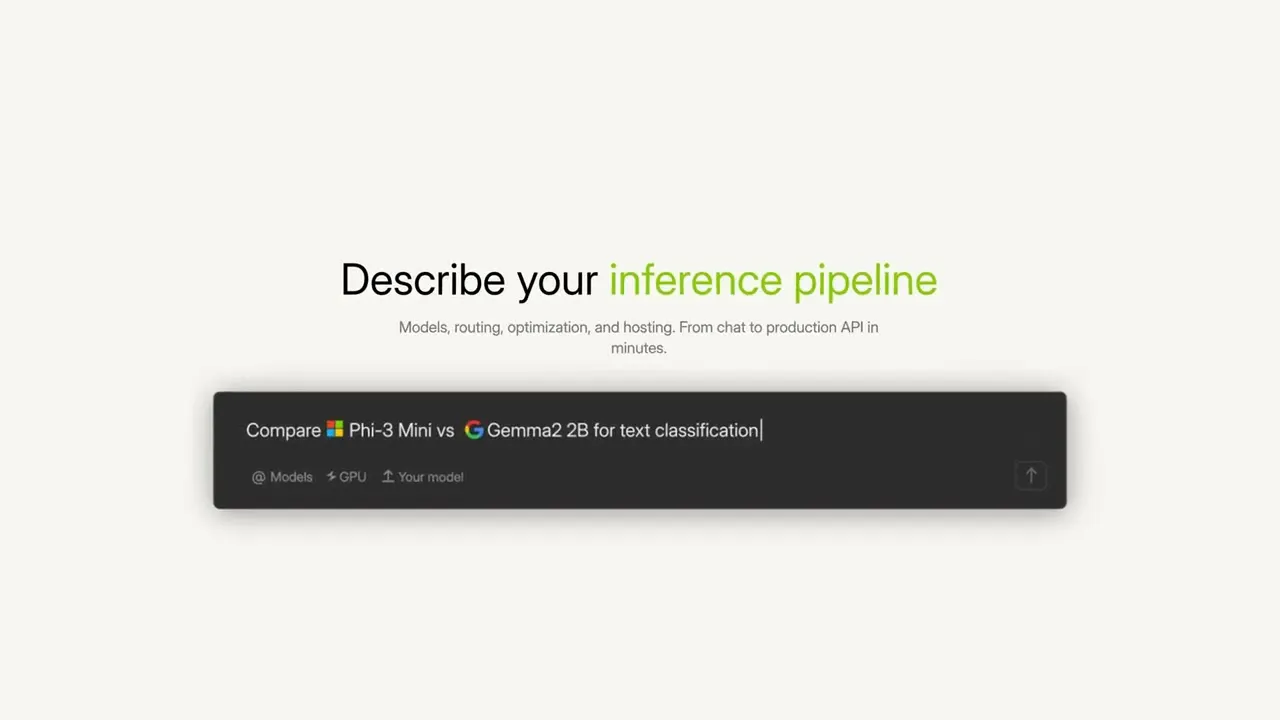
Access 300+ AI models through one EU-hosted, GDPR-compliant API. Drop-in OpenAI SDK compatible, pay-as-you-go, with a built-in AI agent control plane.

The part I care about most is how the product behaves when speech is messy. Voice input is easy when the sentence is clean but real usage includes code words product names mixed-language phrases and self-corrections. Does Wispr Flow keep the original intent visible while it cleans up the transcript or does it silently over-normalize things that a maker would want to keep exactA more explicit offline or privacy-first mode would make it easier to recommend for sensitive work.I considered Aqua Voice and a few other dictation tools but Wispr Flow feels more seamless because it keeps working across apps and preserves the shape of a thought instead of forcing me to rewrite everything after speaking.I’ve dictated tens of thousands of words by now, and honestly, there is no going back to manual typing for me. It’s easily one of the best tools in my stack.One thing that absolutely blew me away is how it handles code-switching. My native language is Czech, but like many marketers, I use a lot of English terms. Wispr is smart enough to keep those English words in English even when the rest of the sentence is in Czech. It’s seamless.

Our AI finds products from public sources, then rotates exposure so useful newcomers have a fair chance to be seen.
Learn how discovery works