Hunter AustinDiscovered
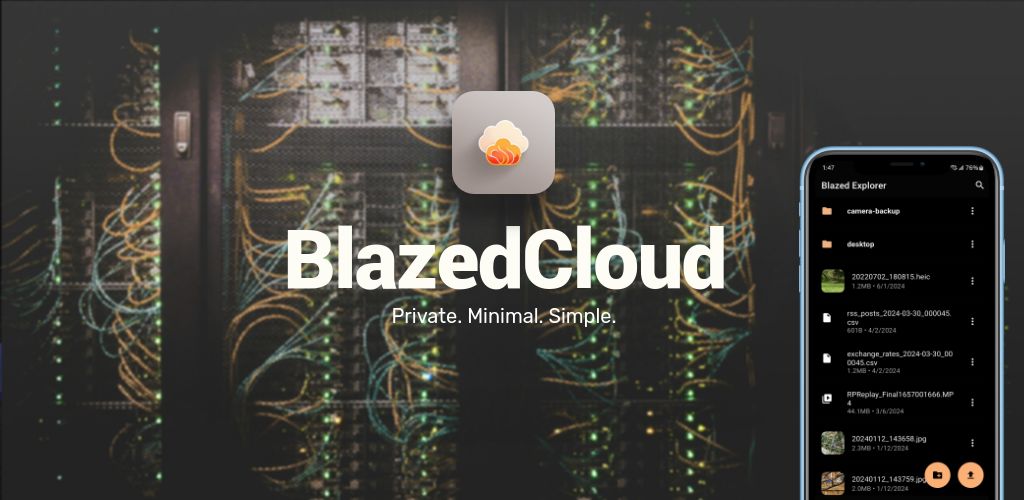
<p>Blazed Cloud aims to be a privacy friendly Google Drive, and be simpler to use. Accomplishing this through a more minimal UI design, and open sourced code</p>

Discover web products found across trusted public sources.
<p>Blazed Cloud aims to be a privacy friendly Google Drive, and be simpler to use. Accomplishing this through a more minimal UI design, and open sourced code</p>

<h3>The UI framework for coding agents</h3> <p>ArrowJS is a tiny, blazing-fast, type-safe reactive UI runtime built around platform primitives that coding agents deeply understand: JavaScript modules, template literals, and the DOM.</p> <p>Use <code>@arrow-js/core</code> when you want direct reactive DOM updates with minimal API surface. Add <code>@arrow-js/framework</code>, <code>@arrow-js/ssr</code>, and <code>@arrow-js/hydrate</code> when you need async components, server-side rendering, and client-side hydration on top of the same component model.</p> <p><a href="https://arrow-js.com" target="_blank" rel="noopener">Documentation</a> · <a href="https://arrow-js.com/api" target="_blank" rel="noopener">API Reference</a> · <a href="https://arrow-js.com/play/" target="_blank" rel="noopener">Playground</a> · <a href="https://discord.gg/fBy7csvmAt" target="_blank" rel="noopener">Discord</a></p> <h3>Core Package</h3> <ul> <li><code>@arrow-js/core</code>: reactive state, tagged-template rendering, components, <code>pick()</code> / <code>props()</code>, and <code>nextTick()</code></li> </ul> <h3>Framework Packages</h3> <ul> <li><code>@arrow-js/framework</code>: async component runtime, <code>boundary()</code>, <code>render()</code>, <code>toTemplate()</code>, and document rendering helpers</li> <li><code>@arrow-js/ssr</code>: <code>renderToString()</code> and <code>serializePayload()</code> for server output</li> <li><code>@arrow-js/hydrate</code>: <code>hydrate()</code> and <code>readPayload()</code> for adopting SSR output in the browser</li> <li><code>@arrow-js/sandbox</code>: QuickJS/WASM-backed sandbox runtime for executing Arrow code off the host <code>window</code> realm while rendering into the real DOM</li> <li><code>@arrow-js/vite-plugin-arrow</code>: Vite integration package included in the monorepo</li> </ul> <h3>Install</h3> <p>Scaffold a complete Vite 8 Arrow app with SSR, hydration, and the full framework stack:</p> <pre>pnpm create arrow-js@latest arrow-app</pre> <p>Agent skill: Equip your preferred coding agent to add Arrow to an existing project:</p> <pre>npx @arrow-js/skill</pre> <p>Core-only:</p> <pre>npm install @arrow-js/core</pre> <p>Full SSR + hydration stack:</p> <pre>pnpm add @arrow-js/core @arrow-js/framework @arrow-js/ssr @arrow-js/hydrate</pre> <p>No build step is required for the core runtime. You can also import it directly in the browser:</p> <pre><script type="module"> import { html, reactive } from 'https://esm.sh/@arrow-js/core' </script></pre> <h3>Core Example</h3> <pre>import { component, html, reactive } from '@arrow-js/core' const Counter = component(() => { const state = reactive({ count: 0 }) return html`<button @click="${() => state.count++}"> Clicked ${() => state.count} times </button>` }) html`${Counter()}`(document.body)</pre> <h3>Async Components, SSR, and Hydration</h3> <p>Async components use the same <code>component()</code> API, but they require the async runtime from <code>@arrow-js/framework</code>, <code>@arrow-js/ssr</code>, or <code>@arrow-js/hydrate</code> to be imported before rendering.</p> <p>The current project structure keeps that layering explicit:</p> <ul> <li><code>@arrow-js/core</code> stays DOM-first and framework-agnostic.</li> <li><code>@arrow-js/framework</code> adds async render tracking and boundaries.</li> <li><code>@arrow-js/ssr</code> renders HTML and serializes async payloads on the server.</li> <li><code>@arrow-js/hydrate</code> adopts existing SSR HTML instead of replacing it on the client.</li> </ul> <h3>Editor Support</h3> <p>Install the official <a href="https://marketplace.visualstudio.com/items?itemName=StandardAgents.arrowjs-syntax" target="_blank" rel="noopener">ArrowJS Syntax</a> extension for VSCode to get syntax highlighting and autocomplete inside <code>html</code> template literals.</p> <h3>Community</h3> <ul> <li><a href="https://discord.gg/fBy7csvmAt" target="_blank" rel="noopener">Discord</a> — ask questions, share what you're building, and connect with other Arrow developers</li> <li><a href="https://github.com/standardagents/arrow-js/issues" target="_blank" rel="noopener">GitHub Issues</a> — report bugs and request features</li> <li>Follow <a href="https://x.com/intent/follow?screen_name=jpschroeder" target="_blank" rel="noopener">@jpschroeder</a> on X for updates and releases</li> </ul> <h3>Monorepo Development</h3> <ul> <li><code>pnpm dev</code>: run the docs app locally</li> <li><code>pnpm test</code>: run Vitest</li> <li><code>pnpm test:e2e</code>: run Playwright tests</li> <li><code>pnpm typecheck</code>: run TypeScript across the workspace</li> </ul>

<p>Get more done in less time with Tatask's intuitively structured approach to planning your day and your projects.</p><p>Break daunting projects down into simple steps easily and you'll find yourself making huge progress without even thinking about it.</p><p><strong>Key features:</strong></p><ul><li>Infinite nesting</li></ul><p>Nest your tasks into subtasks and beyond like the folders on your computer so you can compartmentalise everything and focus on what's important.</p><p>The smaller your tasks the easier they are to complete and the less likely you are to procrastinate.</p><ul><li>Simple day planning</li></ul><p>Favourite tasks from any branch of your task tree in 1 tap to quickly make a to-do list for the day. Everything else is out of sight and out of mind to give your brain the space to focus on what's important.</p><ul><li>Visual progress tracking</li></ul><p>Tatask shows you a visual indicator of your progress on every task so you can get a little boost in motivation to complete things.</p><ul><li>Set and forget scheduling</li></ul><p>Quickly schedule time-sensitive tasks for later and you'll see them appear in the Due screen when they're needed.</p><ul><li>Cross-platform sync</li></ul><p>Work seamlessly on iOS and the web. Tatask syncs everything in real time, or if you're offline it will update as soon as you regain internet.</p><ul><li>Tag related tasks</li></ul><p>#Tag tasks to group them and view them later. Try tagging tasks as #quick for tasks you can complete in less than 10 minutes so you can quickly get something done in between other commitments instead of scrolling Instagram.</p><p><strong>Love for Tatask:</strong></p><p>"Loving using Tatask to centralise my many to-do lists and thoughts. Easy to use, simple but powerful. Would highly recommend for anyone wanting to supercharge their productivity!"</p><ul><li>Jack F.</li><li>Manager</li></ul><p>"I just love the flexibility of Tatask. I use it to track development of my startups, mostly, but also building marketing sites, and really anything."</p><ul><li>Stuart B.</li><li>Founder</li></ul><p>"Ditching Trello for Tatask has paid off enormously. Gone are the endless scattered boards and now I have a natural structure for everything I'm working on. It's as simple as Trello but 10x more useful. Highly recommend!"</p><ul><li>Alex C.</li><li>Investment associate</li></ul>
Our AI finds products from public sources, then rotates exposure so useful newcomers have a fair chance to be seen.
Learn how discovery works