Get the weekly radar
One short email with the freshest products, every week.

Glanced pulls your sites, newsletters, and podcasts into one library, with the full article fetched.
Grounded in available product and source data
Sites, newsletters, and podcasts each live in their own separate app by default, which is exactly why nothing gets read consistently — Glanced offers all your reading in one library instead, pulling every source side by side.
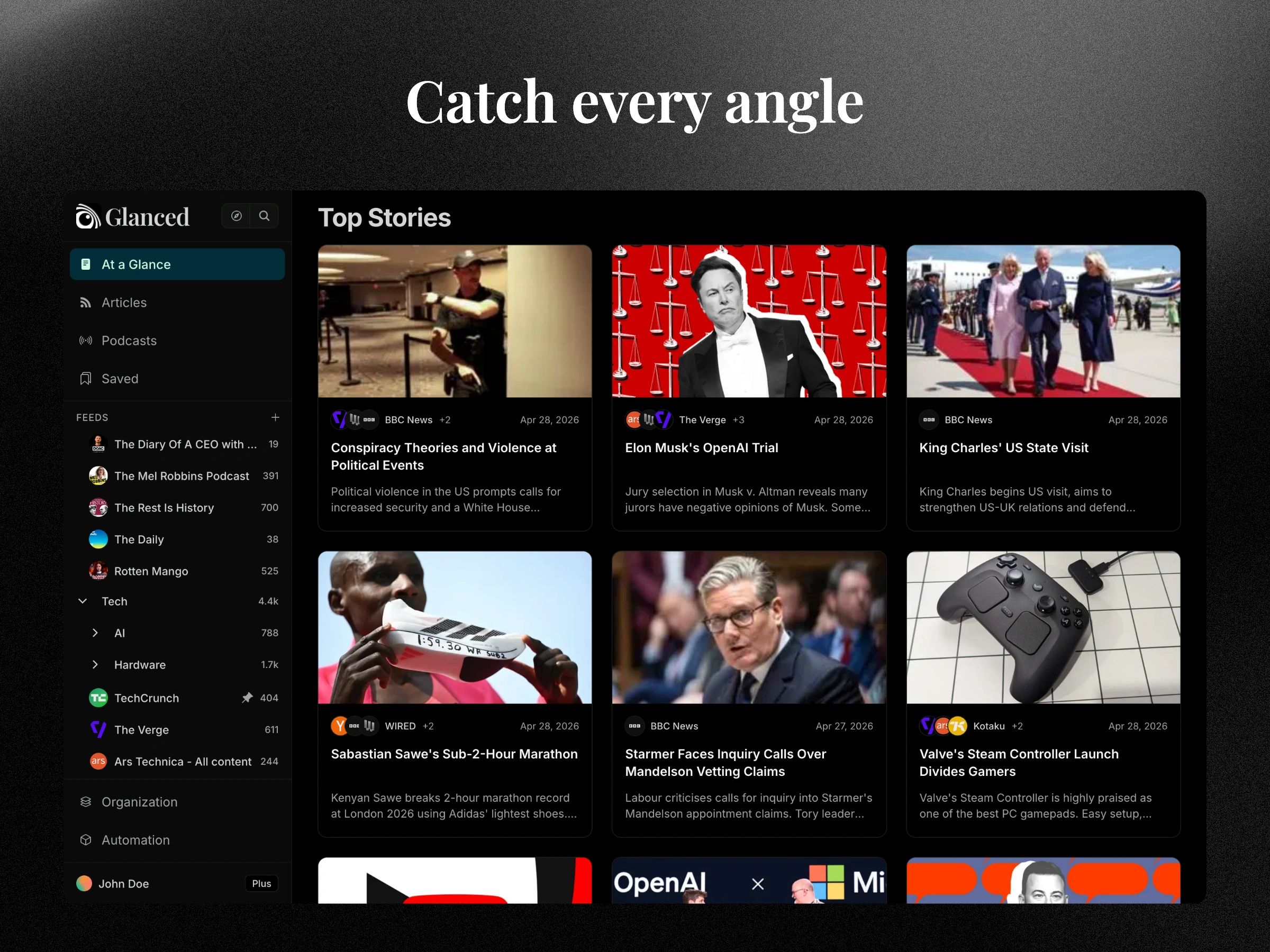
What sets 'reading' in Glanced apart from a typical feed reader is that content doesn't stop at a preview: 'Read past the preview' fetches the complete article directly, rather than clicking through a truncated snippet to the original site for the rest. 'One story, every angle' takes that further by grouping coverage of the same story across multiple outlets into a single titled entry, so the same news doesn't show up as five nearly identical articles from five different sources.
Newsletters and podcasts get pulled into the same library rather than staying in their usual separate homes — newsletters arrive as regular articles instead of sitting as inbox clutter, and podcasts play alongside reading without opening a dedicated podcast app. A browser extension detects a feed on any webpage and subscribes automatically, skipping the step of finding and pasting an RSS URL by hand.
Organization stays practical rather than an afterthought: folders group subscriptions, Smart Tagging suggests relevant tags while reading, Saved Searches turn a complex query into a rerunnable smart feed, and OPML import brings existing subscriptions over from another reader in one step. Native apps keep a library synced across devices, and the site states Glanced is free to get started with no credit card required.
Not necessarily — since the tool fetches the article's full content rather than relying on whatever a source's own feed happens to include, a site's own truncated feed output doesn't automatically cap what shows up on the Glanced side.
Not as separate duplicate entries — 'One story, every angle' groups coverage of the same story across outlets into a single titled entry, surfacing different perspectives without repeating the same information as multiple articles.
OPML import is built specifically for that switch — an existing set of subscriptions from another reader can be brought over in one step rather than resubscribing to each source individually.
Not necessarily — podcasts can be listened to alongside reading directly inside Glanced, rather than requiring a dedicated podcast app for that specific content type.
Several tools cover that specifically — tags and Smart Tagging organize saves as they happen, and Instant Search or a Saved Search can locate a specific article across the whole library later rather than scrolling back through a feed.